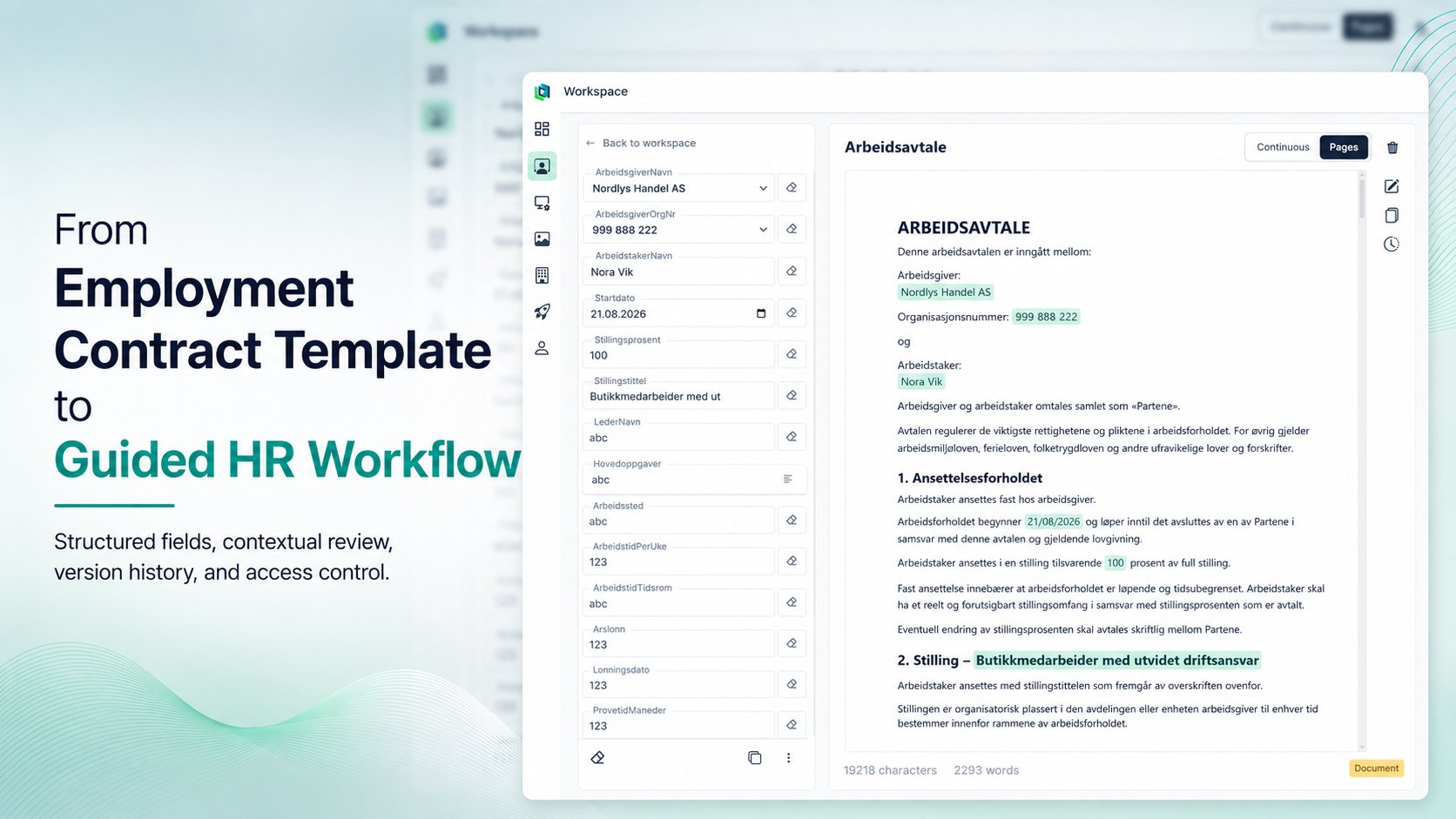
Employment contracts are rarely written from scratch for every new employee.
Most organisations already have an approved document containing standard clauses, policies and legal wording. What changes from one contract to the next is usually a smaller set of information:
- employer details
- employee name
- start date
- job title
- salary
- working hours
- employment percentage
- workplace
- responsibilities
- notice period
Yet the process is still often handled by copying an existing document, replacing the previous employee’s information and checking that nothing was missed.
The contract may be reusable, but the workflow around it usually is not.
The goal is simple: make contract generation feel like completing a guided form, not repeatedly editing the same document.
A document is not always the best input interface
A conventional word processor gives the user complete freedom to change the document.
That is useful when writing a contract, but less useful when completing a contract that has already been approved.
For day-to-day HR work, unrestricted editing introduces avoidable risks:
- old employee details may remain in the document
- a placeholder may be overlooked
- approved wording may be changed accidentally
- formatting may shift when content is replaced
- long contracts require repeated searching and scrolling
- different employees may complete the same document differently
In practice, the task is usually structured data entry performed inside an unstructured editing interface.
TemplatePoint separates those concerns.
Complete the contract through structured fields
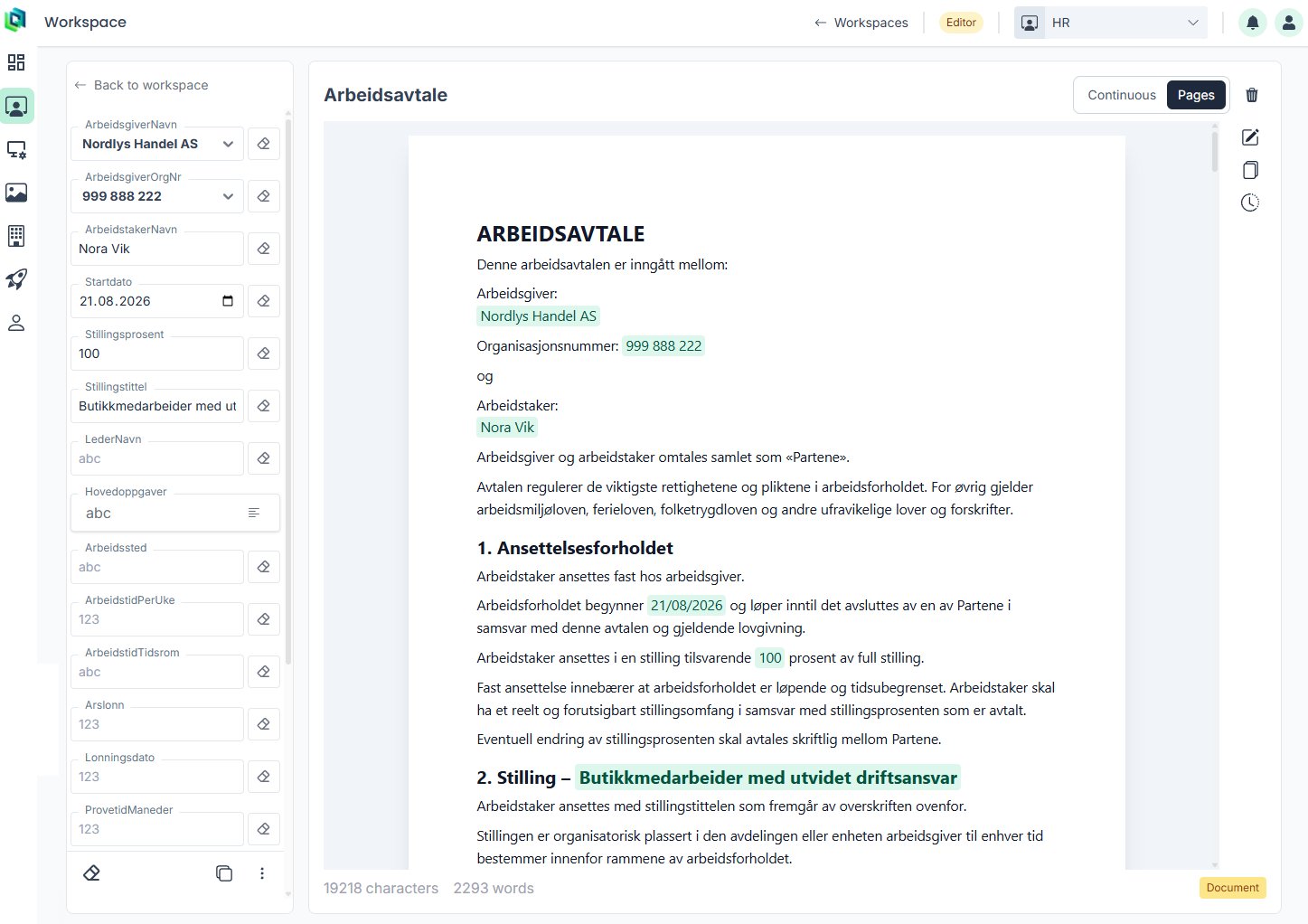
In TemplatePoint, the reusable contract remains visible as a document, while the information that changes is presented as structured fields.
The HR user completes the fields on the left. The corresponding values are inserted into the contract on the right.
Different information can use different input types:
- short text for names and job titles
- dates for employment start and end dates
- numbers for salary or employment percentage
- dropdowns for predefined alternatives
- multiline fields for responsibilities or role descriptions
- images where visual content is required
The field type helps communicate what kind of value is expected and can reduce inconsistent input.
The document itself remains readable throughout the process. HR does not have to switch between a disconnected form and a final document preview.
Review every value in context
A field value rarely exists in isolation.
A start date may appear inside a sentence describing when employment begins. A percentage may be part of a clause about working hours. A job title may be repeated in several sections of the contract.
TemplatePoint links each field to its position in the document.
When the user selects a field, the document scrolls to the matching placeholder. Pressing Tab moves focus to the next field and brings the relevant part of the contract into view.
That becomes particularly useful in longer agreements.
Instead of searching through multiple pages, the user immediately sees:
- where the value appears
- how it reads in the surrounding sentence
- whether the inserted content fits the intended clause
- whether a longer answer needs adjustment
The workflow remains focused on the information that changes, while the surrounding document provides context.
Restrict choices where consistency matters
Not every field should allow unrestricted text.
An organisation may have a known set of:
- employing entities
- departments
- employment types
- pension arrangements
- salary intervals
- workplaces
- notice periods
- standard job categories
Dropdowns can make those alternatives available directly in the workflow.
This reduces spelling differences, inconsistent naming and accidental use of unsupported values. It also makes the template easier to complete for users who may not know every approved alternative from memory.
Longer information can remain flexible where necessary. Responsibilities, role descriptions and additional terms can use multiline fields while still appearing in their intended location in the document.
Reuse the approved document without duplicating it
The underlying template remains reusable.
Each completed contract receives its own values, while the shared template retains its document structure, placeholders and standard wording.
This separates two different responsibilities:
Template maintenance An authorised editor manages the reusable contract, its wording and the fields it requires.
Contract completion An HR user supplies the employee-specific values needed for one completed document.
The user completing a contract does not need to manually locate every variable section or understand how the document is formatted.
Once the required information has been entered, the completed contract can be reviewed and exported as a PDF.
Keep changes recoverable
Employment contract templates may change over time.
An organisation may revise a clause, update company information, adjust its standard wording or correct a mistake. Those changes should not depend on a collection of files with names such as:
Employment Contract Final
Employment Contract Final 2
Employment Contract Approved
Employment Contract Approved Latest
TemplatePoint maintains version history for the reusable template.
Each version includes attribution and a timestamp, making it possible to see who changed the template and when. An earlier version can be restored directly when the organisation needs to return to previously used wording.
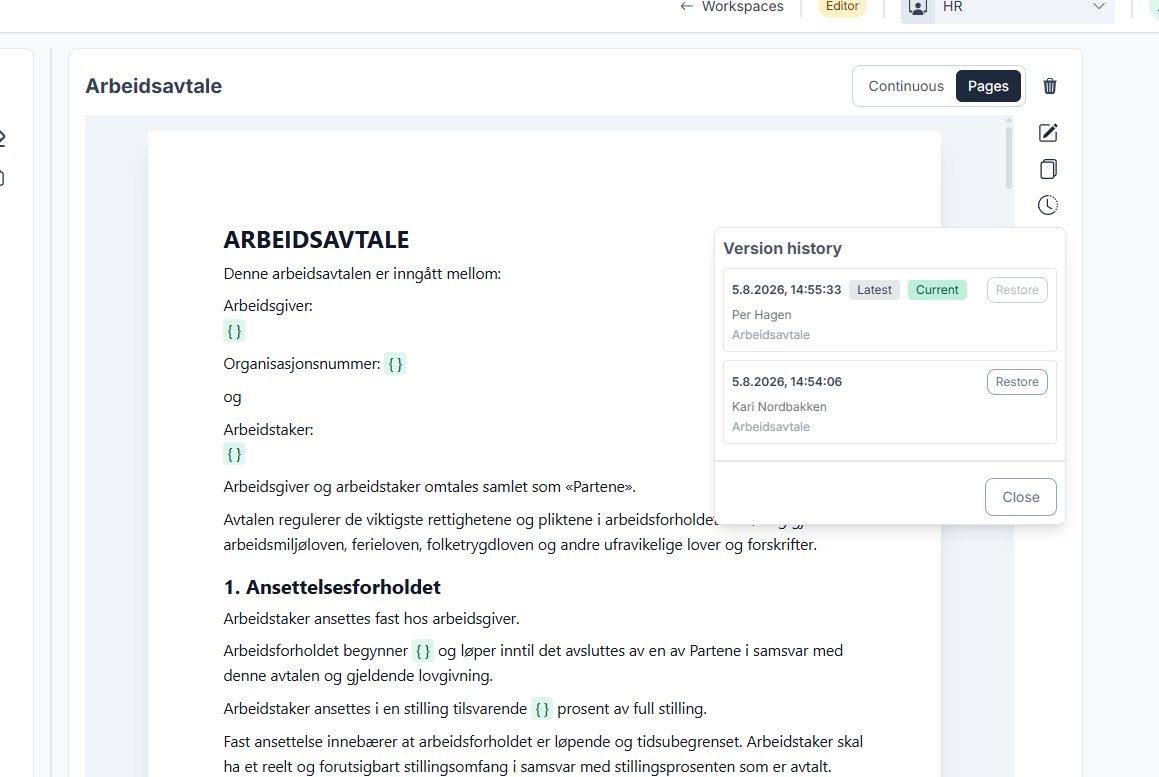
Version history provides a practical safety net for collaborative template maintenance.
It does not replace the organisation’s legal approval process, but it helps preserve the result of that process once the approved document is placed into operational use.
Keep HR work within the right workspace
Reusable business documents need ownership.
A contract should not necessarily be editable by everyone who can access templates elsewhere in the organisation.
TemplatePoint organises content into workspaces such as:
- HR
- Sales
- Technical Support
- Operations
- Legal
- Finance
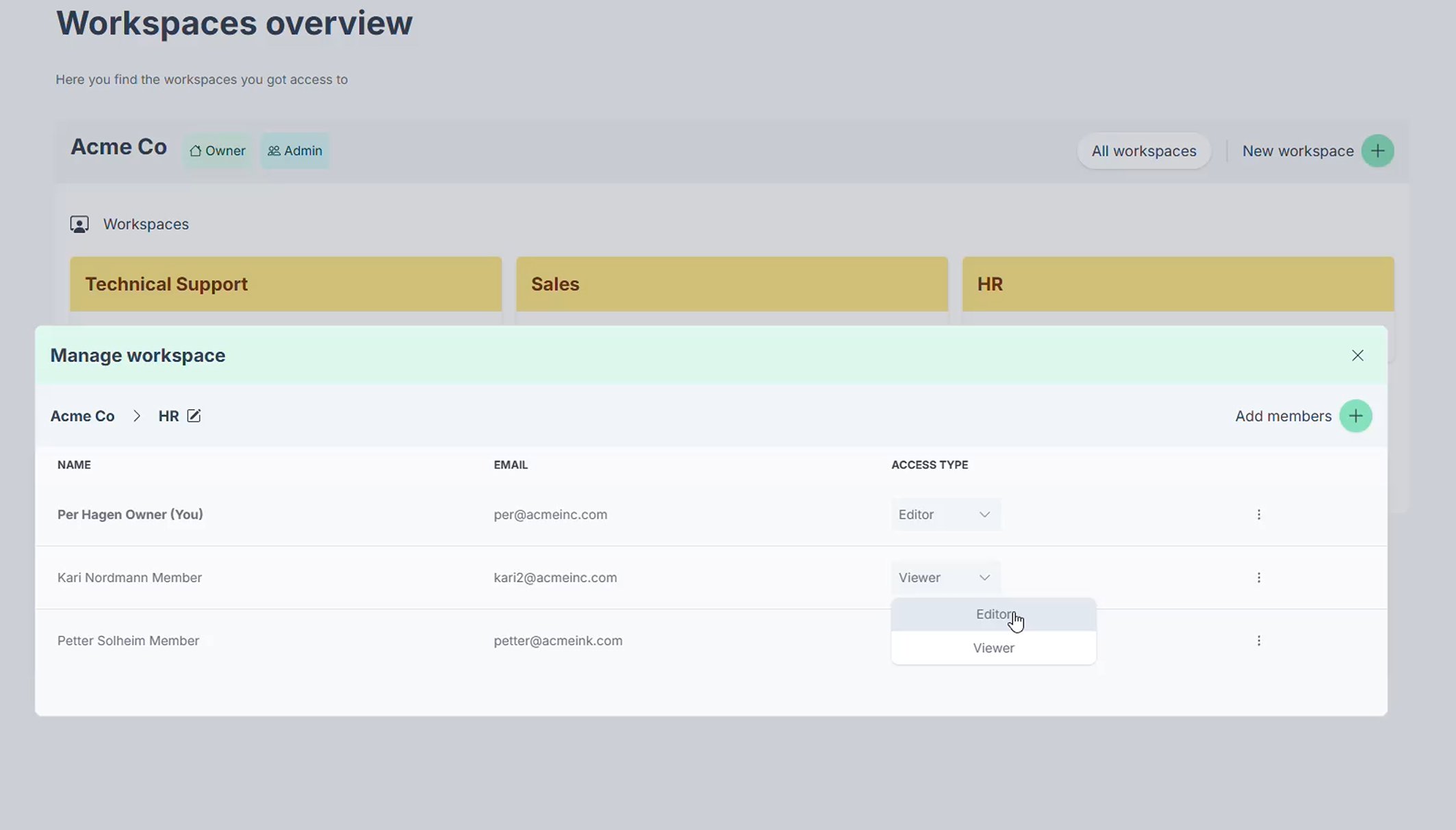
Members can be assigned access according to their responsibilities.
Editors can maintain templates and workflows. Viewers can access approved content without receiving the same editing permissions.
This allows an organisation to use one platform across departments while keeping access aligned with internal responsibilities.
More than a document editor
The visible workflow is intentionally simple:
- Open the reusable contract.
- Complete the required fields.
- Review each value in context.
- Export the finished document.
Behind that workflow, the organisation can retain:
- reusable document structure
- controlled field definitions
- predefined input options
- template version history
- author attribution
- departmental workspaces
- member access roles
- consistent PDF output
That distinction matters.
TemplatePoint is not intended to decide what an employment contract should contain or replace legal review. The organisation supplies and approves its own document.
TemplatePoint provides the operational layer for using that document repeatedly.
A guided form instead of another copied document
Employment contracts are only one example of a document with stable content and changing values.
The same approach can be used for:
- offer letters
- onboarding documents
- policy acknowledgements
- role-change letters
- employee certificates
- internal agreements
- standard HR correspondence
In each case, the document remains familiar and readable, while the completion process becomes more structured.
Make contract generation feel like completing a guided form, not repeatedly editing the same document.