Operational knowledge tends to spread across personal notes, internal wikis, chat threads, scripts, vendor documentation, and previous incidents. Even when the right command exists, using it often means copying a static example, replacing placeholder text manually, and checking that no part of the original syntax was accidentally changed.
TemplatePoint offers another approach: treat curated CLI commands as parameterized, reusable workflows.
Curate the command once. Let every administrator supply the right values and reuse it without rewriting the syntax.
A command is more than a string
Consider a PowerShell command used to inspect an Exchange mailbox:
Get-MailboxStatistics -Identity {{Mailbox}} |
  Select-Object DisplayName, TotalItemSize, ItemCount
The command itself can be maintained by the person responsible for the procedure. The administrator using it only supplies the mailbox identity.
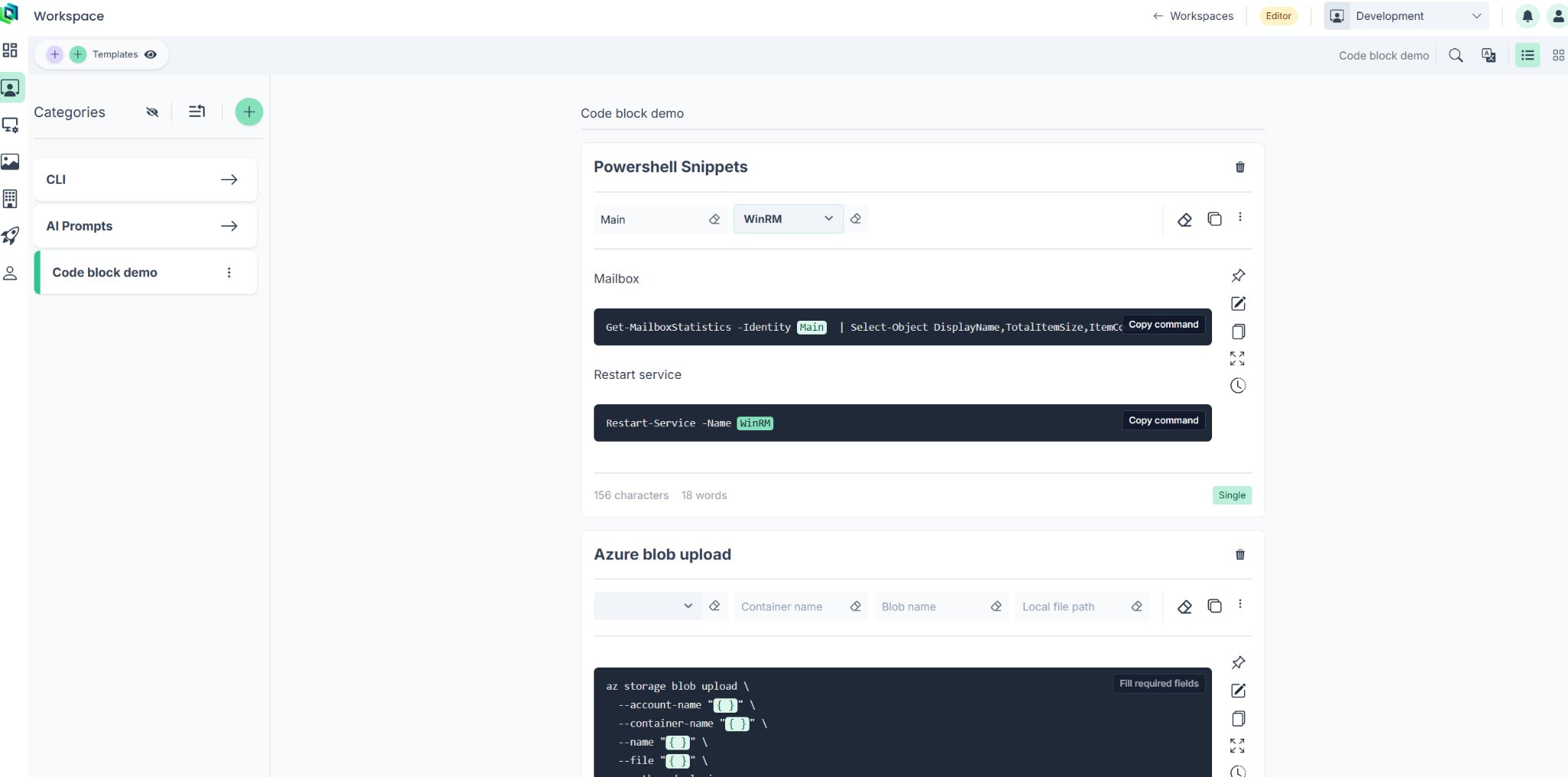
In TemplatePoint, {{Mailbox}} is not merely instructional text that must be found and replaced. It is a defined field rendered as an input. When the same mailbox appears in several commands, entering it once can update every occurrence consistently.
This separates two responsibilities:
- Authors curate the syntax and procedure.
- Operators supply the values required for the current task.
The operator does not need to edit the command itself.
Build small operational workflows
A useful runbook often contains more than one command. It might include:
- a diagnostic query;
- a remediation step;
- a verification command;
- warnings or prerequisites;
- escalation instructions;
- links to the relevant system or documentation.
TemplatePoint allows explanatory content and multiple code blocks to live in the same template. Each command remains individually copyable, so the operator can follow the procedure one step at a time without copying the entire document.
For example, a support workflow could contain:
Get-MailboxStatistics -Identity {{Mailbox}} |
  Select-Object DisplayName, TotalItemSize, ItemCount
Get-MailboxPermission -Identity {{Mailbox}}
Get-MailboxFolderStatistics -Identity {{Mailbox}}
The mailbox value is entered once and applied everywhere it is referenced.
This turns a collection of snippets into a lightweight operational workflow without requiring a custom internal tool or a fully automated script.
Use controlled inputs instead of editing raw commands
Static cheat sheets frequently use values such as <username>, <service-name>, or REPLACE_ME. That leaves the operator responsible for locating and replacing every occurrence correctly.
TemplatePoint makes the input surface explicit. Fields can represent values such as:
- mailbox identities;
- usernames;
- hostnames;
- resource groups;
- virtual-machine names;
- subscriptions;
- clusters and namespaces;
- file paths;
- approved services or environments.
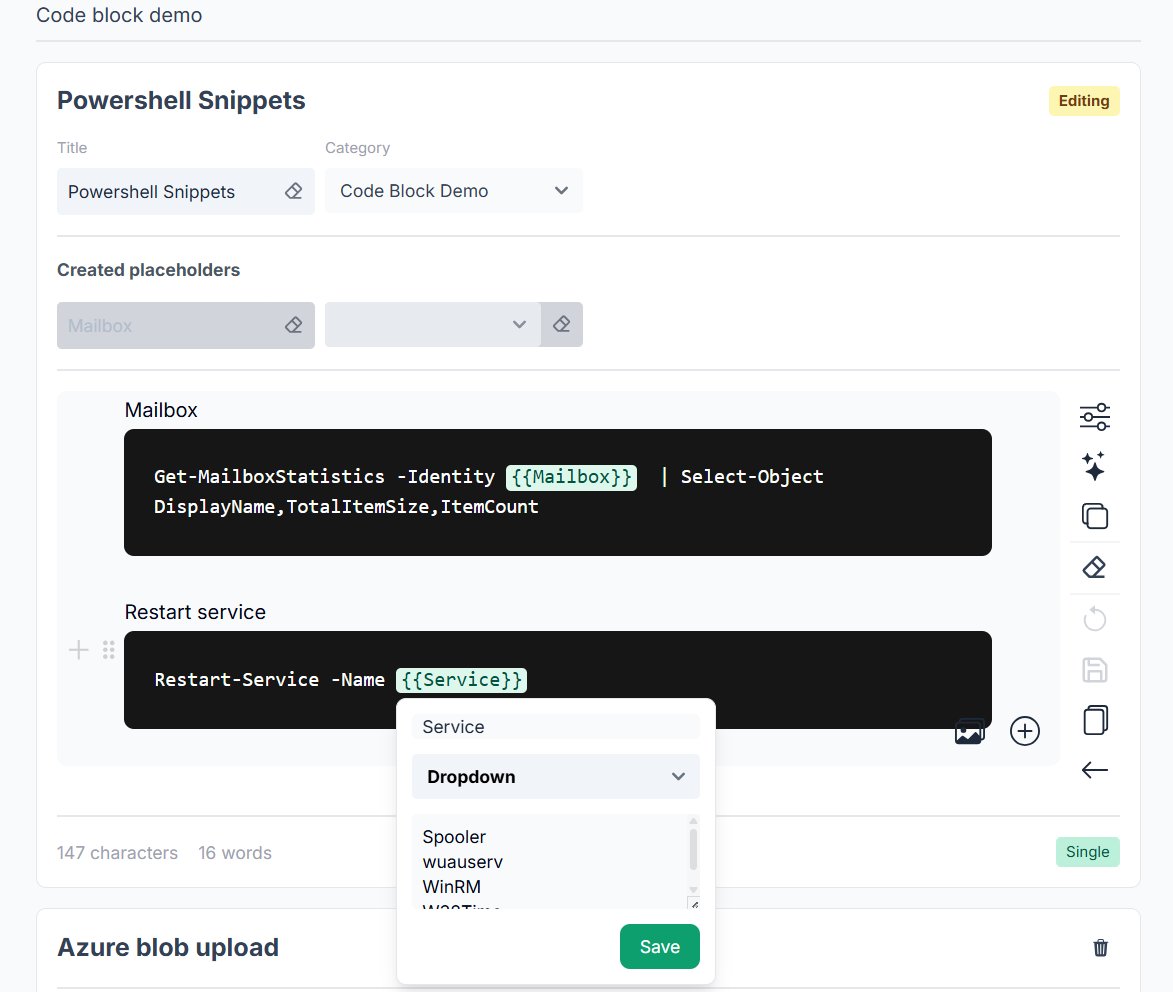
A field can also be configured as a dropdown. Instead of typing an arbitrary service name, an administrator can select from a curated set of recognized values.
Restart-Service -Name {{Service}}
The resulting command remains visible and reviewable, but the parts that are expected to vary are clearly separated from the syntax that should remain unchanged.
This does not make every CLI operation inherently safe. The permissions, validation rules, and safeguards of the underlying platform still apply. It does make reuse more controlled and reduces the need for error-prone manual editing.
Do not copy incomplete commands
An unfinished prose response may be inconvenient. An unfinished infrastructure command can be considerably more serious.
TemplatePoint can treat required values at the individual command level. A code block with an empty required field is not ready to copy, while another completed command in the same template can still be used.
For example:
az storage blob upload \
  --account-name "{{Storage account}}" \
  --container-name "{{Container name}}" \
  --name "{{Blob name}}" \
  --file "{{Local file path}}" \
  --auth-mode login
Until the required fields have been supplied, the copy action can indicate that the command is incomplete. Once completed, the operator copies the resolved command as plain text, without Markdown fences or surrounding documentation.
This is a small interaction, but it addresses a common failure mode of traditional snippet libraries: copying an example that still contains placeholder values.
Organize related commands as collections
Not every administrative workflow needs placeholders. Sometimes the values are already known, the commands are environment-specific, or the main goal is simply to make a sequence of trusted commands easy to follow and copy.
TemplatePoint collections are designed for this kind of operational knowledge. A collection groups independent commands in a compact interface, with a dedicated copy action for each entry. The commands can be short one-liners, longer commands with prefilled values, or a sequence that collectively tells the story of a task.
An environment reset checklist is a good example:
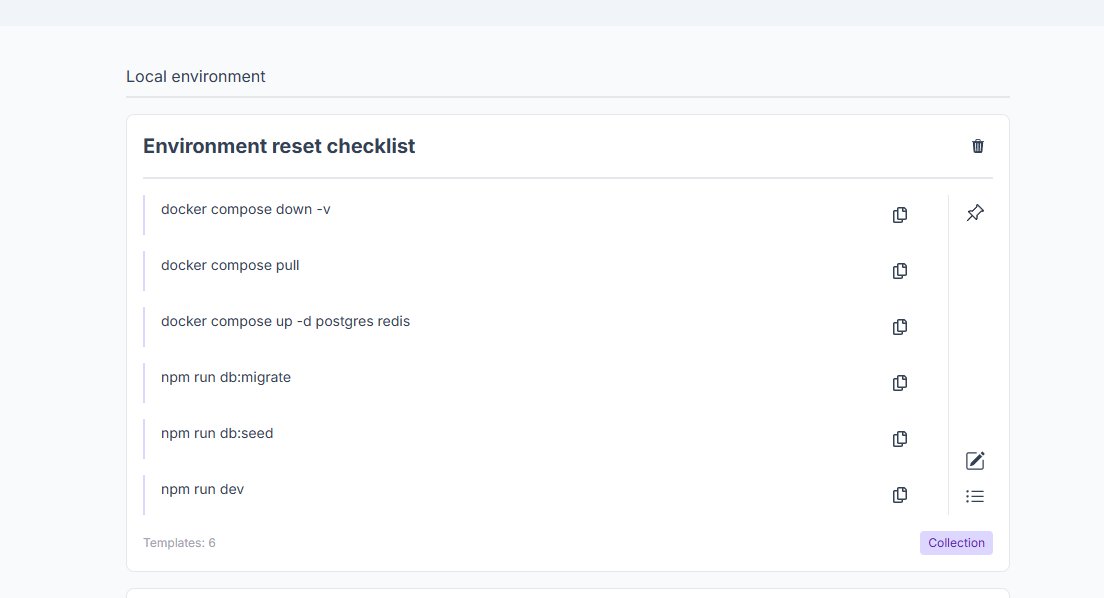
Each command remains separate, but their order communicates the intended procedure: remove the current environment, pull updated images, start the required services, rebuild the database, and launch the application.
This gives collections two distinct strengths:
- One-click access to complete commands, including longer commands whose values are intentionally prefilled.
- A checklist-like structure for related operations, where the sequence itself documents how the task should be completed.
Parameterized templates remain better when the operator must supply variable values. Collections are better when the command is already complete and the primary need is fast, consistent reuse. Together, the two formats support both guided command generation and lightweight operational checklists.
Put operational knowledge beside the terminal
A central knowledge base is useful only when people can reach the relevant information without disrupting their work.
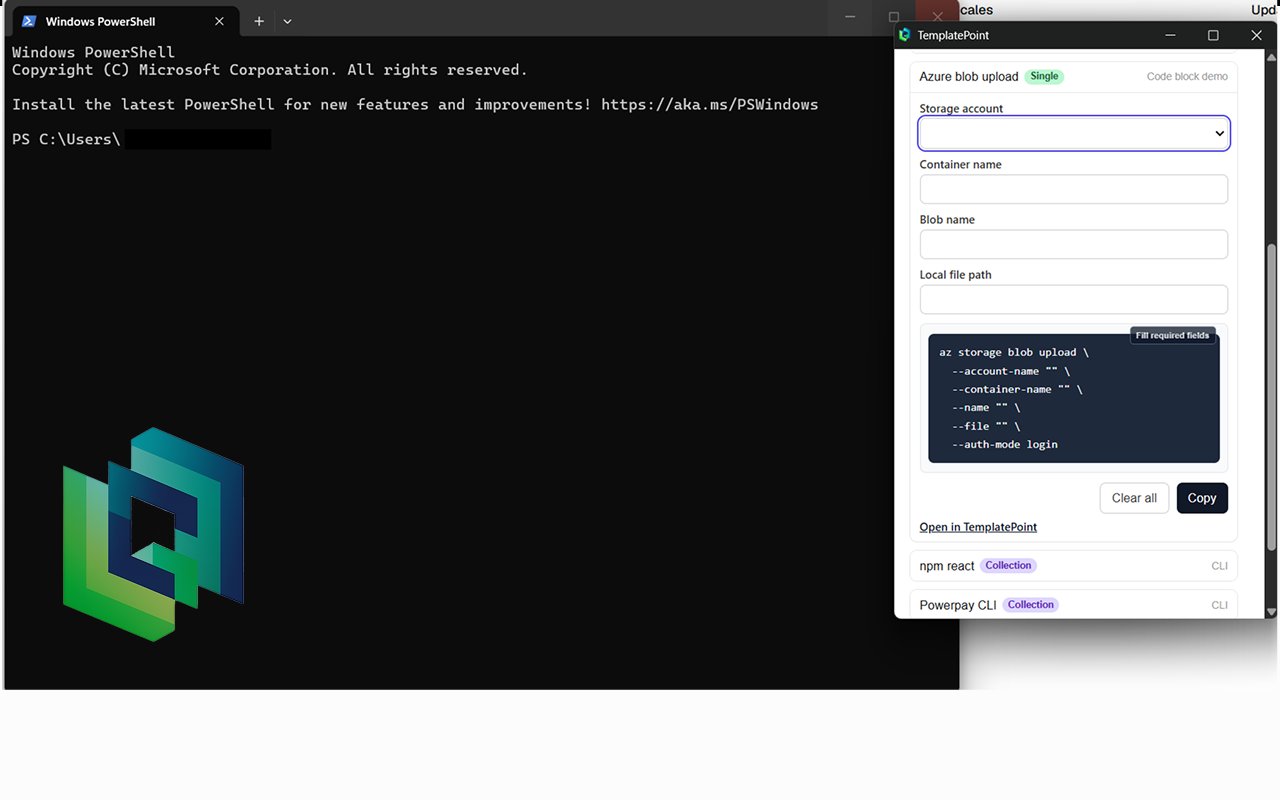
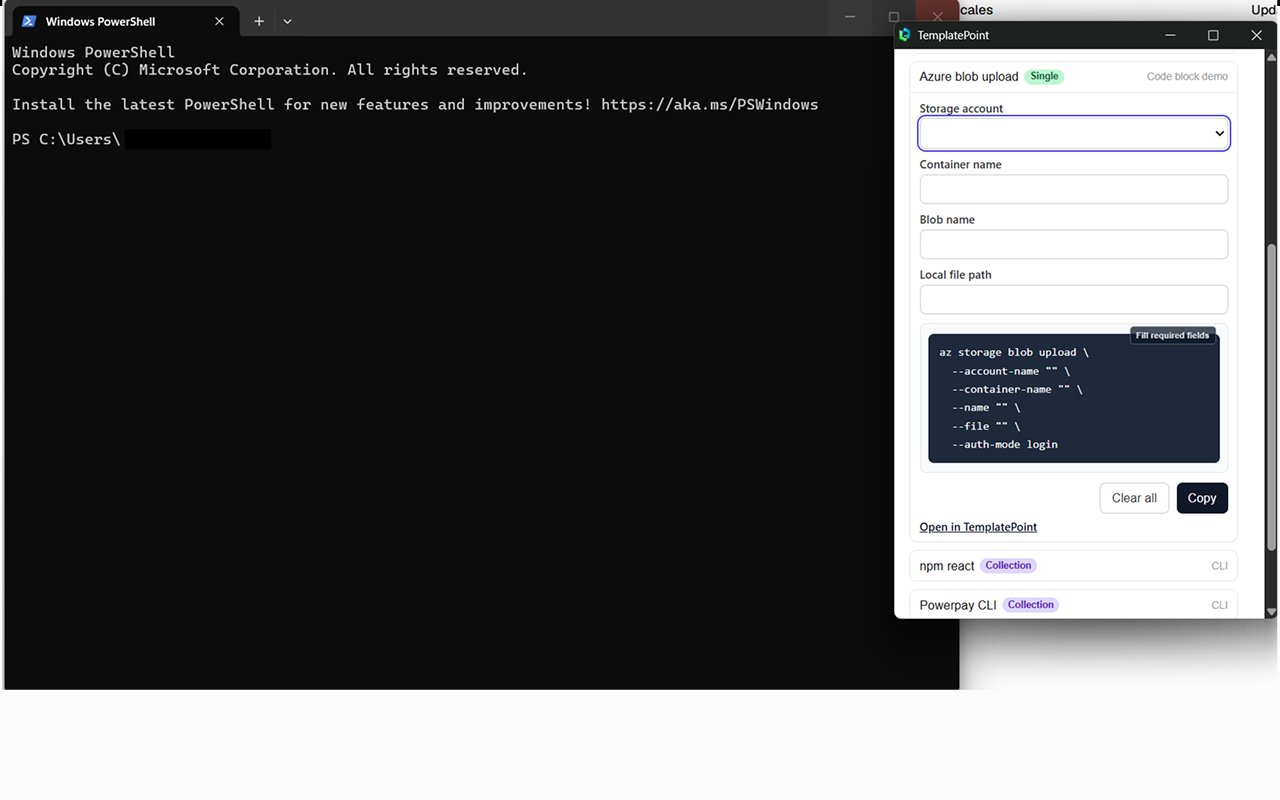
The TemplatePoint browser extension makes the same templates available in a compact interface beside the terminal. An administrator can:
- open the relevant command library;
- select a command or workflow;
- provide the required values;
- review the resolved command;
- copy it into the terminal.
There is no need to navigate through a large documentation hierarchy, open an editor, or modify the source material.
This approach is useful for curated commands across tools such as:
- PowerShell;
- Azure CLI;
- AWS CLI;
- Bash;
kubectl;- Docker;
- database clients;
- networking and diagnostic utilities;
- internal deployment tools.
The extension does not execute the command. The operator remains in control of where and when it runs.
The layer between documentation and automation
Not every repeated administrative task should immediately become unattended automation. From CLI Cheat Sheets to Reusable Admin Workflows
Turn curated PowerShell, Azure CLI, Bash, and infrastructure commands into parameterized workflows your team can safely reuse.
Complete automation may require:
- credential and secret management;
- execution infrastructure;
- elevated service identities;
- retries and failure recovery;
- audit logging;
- environment-specific branching;
- ongoing engineering and maintenance.
Those investments are appropriate for frequent, predictable processes. They can be disproportionate for lower-frequency operations, diagnostic procedures, or tasks that require human judgment before execution.
TemplatePoint occupies the space between static documentation and full automation:
| Static documentation | TemplatePoint | Full automation |
|---|---|---|
| Explains what to do | Produces a resolved command | Performs the operation |
| Usually contains fixed examples | Collects structured inputs | Requires an execution environment |
| Users edit copied text manually | Syntax remains centrally curated | Logic handles inputs and failures |
| Easy to distribute | Easy to reuse consistently | Best for frequent, predictable work |
The organization curates the procedure. TemplatePoint gathers the variable inputs. The administrator reviews the result. The existing terminal and platform permissions remain responsible for execution.
Share team knowledge without hiding the details
Scripts and internal portals can make complex operations easier, but they can also obscure what is happening underneath.
Parameterized commands preserve transparency. The operator can inspect the exact command before running it, learn from its structure, and adjust their actions based on the current situation.
At the same time, the organization gains a central place to maintain:
- the preferred command syntax;
- approved flags and defaults;
- related explanations and warnings;
- reusable environment values;
- task-specific command collections.
When a command changes, its author updates the shared template rather than asking every administrator to replace a local note or bookmark.
From personal snippets to shared operational knowledge
A personal command file is useful to its author. A curated command workflow can become useful to an entire team.
TemplatePoint turns trusted CLI knowledge into reusable tools without demanding that every procedure become a software project. It provides structure where static documentation is too passive and keeps human control where unattended automation would be excessive.
For administrators, support engineers, platform teams, and developers, that means less time searching for commands, less manual editing, and a clearer path from documented knowledge to deliberate action.
TemplatePoint helps teams turn trusted CLI commands into reusable, parameterized runbooks—available directly beside the tools where they are used.